For restaurants
Your kitchen knows what's in every dish. Your guests don't.
Can I Dine?™ turns the menu you already have into one a guest can filter by their own allergies, sorted into suggested, may need a modification, or avoid, in ten languages, from a QR code on the table. You set it up once. It answers the questions your servers can't.
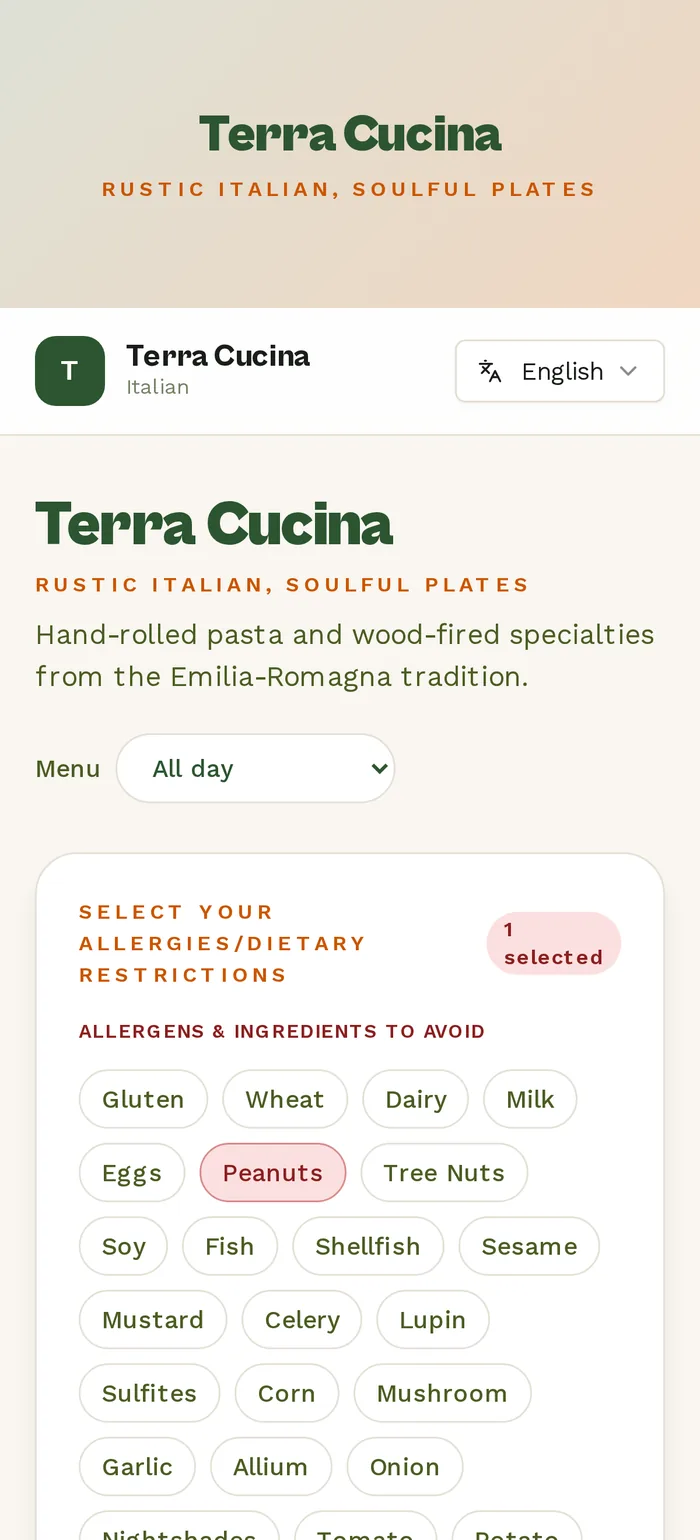
Try it right here. Tap an allergy the way a guest would.
Terra Cucina — All day DEMO
A restaurant-style food menu demo on Can I Dine?™, filtered live.
Guests who don't see their restriction in the list type it in plain language — “alpha-gal syndrome”, “low FODMAP” — and the menu is analyzed against it.
Before service
What you manage
Three screens, set up in an afternoon. Nothing to install, no tablet on the pass, no monthly menu rebuild.
Menu
Upload the menu you already have. Then upload the recipe sheet.
PDF, DOCX, XLSX, PPTX, or a photo. The AI extracts every dish for your review — organized by course, appetizers through desserts — then fuses it with your recipe sheet so allergens come from actual ingredients, not from what someone remembered to tag. House prep that never appears on a dish list (a buttermilk-and-soy brine, a shared marinade, the “secret” spice blend) gets named once and linked everywhere it's used.

Cross-contact
Declare the fryer once. Every dish that shares it inherits the risk.
After your menu is parsed, group the dishes that share a fryer, grill, or station and name your cooking oils — the allergy engine folds that shared-equipment exposure into every guest result automatically. Haven't grouped anything yet? Can I Dine?™ takes the cautious view on your behalf: fried dishes are treated as sharing one fryer and grilled dishes one grill until you declare your real setup. Guests see honest “potential cross-contact” warnings either way.

QR & Branding
One QR code, your colors, on the table.
Download the PNG, drop it on the table tent or the bottom of the printed menu. It points at your own page — canidine.com/r/your-restaurant — carrying your logo, cover photo, and brand colors. Change a dish at 4pm and the code on the table is already showing it.

Edit log
Every change, who made it, when.
Allergen information is a liability surface. Each menu import, ingredient update, and settings change is written to an immutable log against the staff member who made it — so if you are ever asked what the menu said on a given night, you can answer precisely.

During service
What your guests see
They scan the code, tap what they can't eat, and the menu re-sorts itself. No app, no account, no waiting for a manager to check with the kitchen.
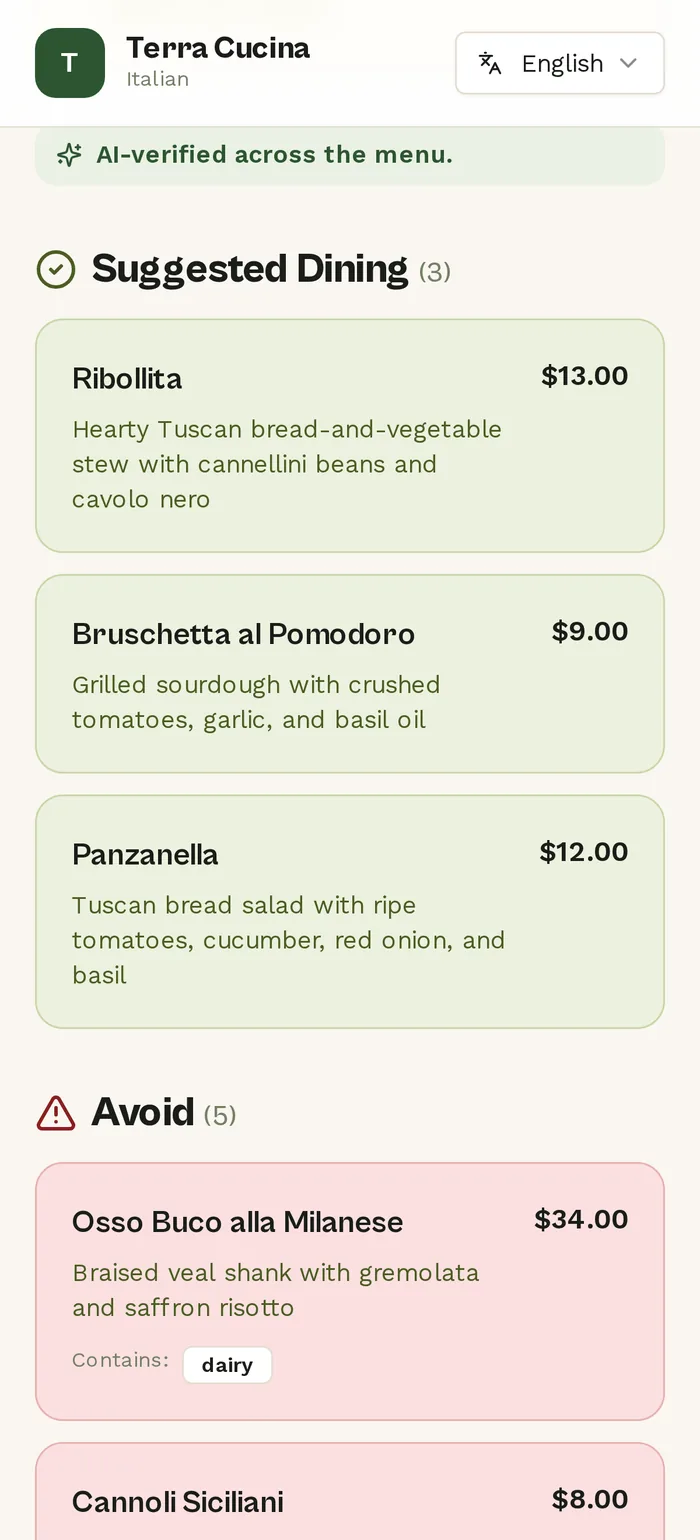
Dishes that share equipment with an allergen stay visible, marked potential cross-contact with the shared fryer or grill named — and a guest with a severe allergy can flip one toggle to clear them off the list entirely. Every verdict runs through a deterministic allergy engine that checks the AI's work; it can add caution, never remove it.
Everything above renders in ten languages, so the guest who can't confidently explain a shellfish allergy in English doesn't have to.
Why it pays
What changes on the floor
- Tables turn faster
- The allergy conversation is settled before your guests order their first drink. No trip back to the kitchen, no second trip to confirm.
- Fewer comps
- A dish sent back because nobody caught the butter in the sauce costs you the plate, the labor, and usually the dessert you comp on top of it.
- Fewer incidents
- Allergens are derived from ingredients you entered, not from tags someone remembered to apply — and the edit log shows exactly what the menu said, and when.
- Guests come back
- Roughly one in ten diners eats around a restriction. The room that answers them confidently is the room they book next month, and the one they bring six people to.
Two weeks, free
Put your own menu behind a QR code this week.
Upload the menu, add your recipes, print the code. A card is required through Stripe to start; you pay $0 for 14 days and can cancel before renewal. Nothing publishes until you say so.
Open your unique outreach link to apply your recipient-specific trial code automatically. Individual and Premium plans; card required.